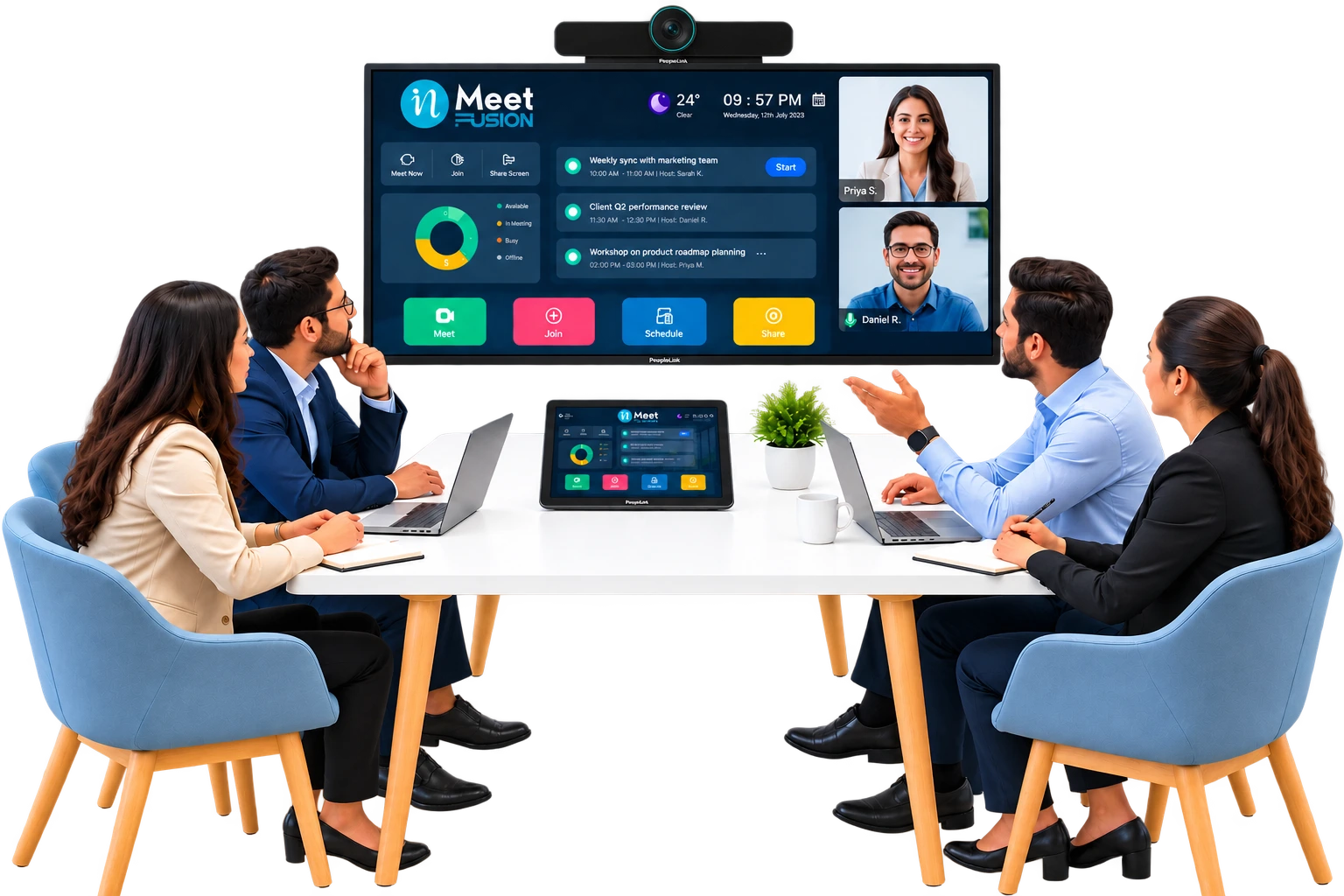
You can make meeting rooms more efficient with inFusion by combining automated room booking, real-time occupancy sensors, and unified hybrid-meeting technology into one meeting rooms solution. This cuts scheduling conflicts, reduces wasted space, and shortens meeting start times.
Table of Contents
- Why Meeting Room Efficiency Matters
- The Real Cost of Inefficient Meeting Rooms
- Common Causes of Meeting Room Inefficiency
- How inFusion Solves the Problem
- Core Features That Drive Efficiency
- Step-by-Step: Setting Up an Efficient Meeting Room System
- Traditional Booking vs. inFusion-Powered Rooms
- Meeting Room Efficiency for Different Office Sizes
- Measuring Success: Key Metrics to Track
- Best Practices for Long-Term Efficiency
- Common Mistakes to Avoid
- Final Thoughts
- Frequently Asked Questions
Why Meeting Room Efficiency Matters
Meeting rooms are one of the most underused assets in modern offices. Research indicates that companies book meeting rooms for far more time than they actually use, and many rooms sit empty even when marked “reserved.” This mismatch wastes real estate, frustrates employees, and slows down decision-making.
As hybrid work becomes permanent, businesses need a meeting room management system that works for both in-person and remote attendees. This is where a dedicated meeting rooms solution like inFusion becomes essential not as an extra tool, but as core office infrastructure.
Efficient meeting rooms affect more than convenience. They influence how quickly decisions get made, how much office space a company actually needs, and how employees feel about coming into the office at all. When someone walks up to a room panel and sees a red “occupied” light for a room that has been empty for twenty minutes, it creates a small but real sense of friction. Multiply that across dozens of employees and hundreds of meetings a month, and the impact becomes significant.
Companies are also rethinking how much office space they need in the first place. Industry standard workplace analysis shows that many organizations are downsizing their real estate footprint while trying to keep the same number of employees productive. That only works if the meeting rooms that remain are used efficiently. A meeting rooms solution is no longer a “nice-to-have” it is part of how companies control costs while supporting hybrid work.
The Real Cost of Inefficient Meeting Rooms
According to industry standard workplace studies, the average employee loses several hours a week hunting for available rooms, dealing with technical setup delays, or sitting in meetings that started late due to connectivity issues. Some key figures worth noting:
- Up to 40% of booked meeting rooms are never actually used, according to commercial real estate research firms tracking occupancy data.
- The average meeting starts 5 to 10 minutes late due to technology setup problems.
- Companies with 50+ meeting rooms can waste tens of thousands of dollars annually in underused real estate and lost productivity.
- Office space is one of the largest fixed costs a company carries, and unused meeting rooms represent wasted budget space that is paid for but does not generate value.
- Employees report that unreliable video conferencing setups are among the top reasons meetings run late, which compounds the cost of every single call.
These numbers show that meeting room inefficiency isn’t a minor annoyance; it’s a measurable business cost. Fixing it requires more than a shared calendar; it requires a connected system that tracks real usage, not just reservations. This aligns with broader findings from Harvard Business Review on meeting overload, which points out that excessive, poorly managed meetings quietly drain organizational productivity well beyond the meeting itself.
There is also a hidden cost that rarely shows up in a spreadsheet: employee frustration. When people repeatedly struggle to find a working room or fight with a video cable five minutes before a client call, it erodes trust in the office environment itself. Over time, this can push employees toward informal workarounds, like holding meetings at desks or skipping video altogether, which defeats the purpose of having meeting rooms at all.
Common Causes of Meeting Room Inefficiency
Before looking at solutions, it helps to understand why meeting rooms become inefficient in the first place. Most offices run into the same handful of problems:
- Double bookings. Two teams reserve the same room because the calendar system does not sync in real time.
- Ghost bookings. Someone reserves a room “just in case” and never shows up, but the room stays blocked for everyone else.
- Oversized or undersized rooms. A team of three books a twelve-person conference room because it was the only one showing as available. A workplace utilization study on wrong-sized meeting rooms found that even the largest meetings rarely filled more than half of a room’s actual capacity, showing how common this mismatch really is.
- Inconsistent technology. Every room has a different setup, so employees waste time figuring out how to connect a laptop or start a video call.
- No visibility into usage patterns. Facilities teams have no data on which rooms are overbooked, underused, or need upgrades.
- Manual coordination for hybrid meetings. Someone has to manually dial in remote participants, share screens, or troubleshoot audio, which delays the start of every call.
Each of these issues is solvable individually, but stitching together separate fixes often creates more complexity. This is why a unified meeting rooms solution tends to outperform a patchwork of small tools.
How inFusion Solves the Problem
inFusion is built as a complete meeting room booking software and management layer that removes the guesswork from scheduling and running meetings. It works by combining three core functions:
- Smart Booking Software — Employees reserve rooms instantly from their calendar, phone, or a room-panel display, with automatic conflict detection.
- Occupancy Sensors — Real-time sensors detect whether a “booked” room is actually in use, automatically releasing no-show reservations so others can use the space.
- Unified Hybrid Meeting Tools — One-tap video conferencing connects remote and in-room participants without manual cable setup or software switching.
Because these three functions operate together instead of as separate tools, teams get accurate room availability, fewer scheduling conflicts, and meetings that start on time. This integrated approach is a core part of building effective hybrid meeting solutions for modern offices.
Unlike calendar-only systems, inFusion treats meeting room data as a living, real-time feed rather than a static entry someone typed in once. That means facilities teams, employees, and IT departments are all looking at the same accurate picture of room availability at any given moment, instead of relying on outdated calendar entries.
Core Features That Drive Efficiency
Looking deeper at the platform, a few specific features are responsible for most of the efficiency gains companies see after adoption:
- Real-time availability panels. Screens mounted outside each room show live status: booked, available, or about to be released so employees do not need to check an app before walking in.
- Automatic no-show release. If a room stays empty for a set number of minutes after a meeting was scheduled to start, the booking is automatically canceled and the room becomes available again.
- One-tap video conferencing. Instead of manually connecting to a video platform, employees start hybrid meetings with a single tap, reducing setup delays.
- Cross-platform calendar sync. Bookings made in inFusion appear instantly in Outlook or Google Calendar, and vice versa, so there is never a mismatch between systems.
- Usage analytics dashboard. Facilities managers can see which rooms are overbooked, which are underused, and where technology upgrades would have the biggest impact.
- Mobile booking. Employees can reserve, modify, or cancel a room booking directly from their phone, even while walking to the meeting.
These features work together rather than as isolated tools, which is the main reason integrated systems outperform simple calendar add-ons.
Step-by-Step: Setting Up an Efficient Meeting Room System
Follow these steps to improve meeting room efficiency with inFusion:
- Audit your current rooms. Identify how many rooms you have, their capacity, and their current booking patterns. Look specifically at how often rooms are booked versus actually used.
- Install room-panel displays. Place a simple booking screen outside each room so employees can see and reserve availability instantly, without opening a separate app.
- Add occupancy sensors. These automatically detect real usage and release rooms that are booked but empty, which is one of the fastest ways to recover wasted space.
- Sync with existing calendars. Connect inFusion to Google Calendar or Outlook so bookings stay consistent across platforms and nobody has to check two different systems.
- Standardize video conferencing hardware. Use one consistent setup across rooms so any employee can walk in and start a call without troubleshooting cables or software.
- Set room-size guidelines. Encourage teams to match room size to meeting size, using booking software prompts to suggest smaller rooms for small groups.
- Train employees once. A short onboarding session on the booking panel and video system prevents recurring confusion later.
- Review usage data monthly. Use built-in analytics to spot underused rooms, peak booking times, and rooms that need upgrades or downsizing.
This structured rollout typically takes a few weeks for a mid-sized office and pays for itself through reclaimed meeting time and reduced no-show bookings. Larger organizations with multiple locations may roll this out site by site, using data from the first location to refine the process for the next.
Traditional Booking vs. inFusion-Powered Rooms
| Feature | Traditional Booking (Calendar Only) | inFusion Meeting Room Solution |
|---|---|---|
| Room availability accuracy | Often outdated; no-shows keep rooms “booked” | Real-time, sensor-verified availability |
| Booking method | Manual calendar entry | One-tap booking via panel, app, or calendar |
| Hybrid meeting setup | Manual cable/software setup, frequent delays | Automated one-tap video conferencing |
| No-show handling | Room stays blocked | Auto-released after set idle time |
| Usage data | Little to no reporting | Detailed analytics dashboard |
| Scalability across offices | Difficult to standardize | Centrally managed across all locations |
| Mobile access | Limited or none | Full booking and management from mobile |
| IT support burden | High, due to inconsistent setups | Lower, due to standardized hardware |
This comparison shows why a dedicated meeting room management platform outperforms a basic shared calendar, especially as companies scale to multiple offices or hybrid teams. The gap becomes even wider as office size grows, since manual coordination that works for five rooms quickly becomes unmanageable across fifty.
Meeting Room Efficiency for Different Office Sizes
Not every company needs the same setup, and it helps to think about efficiency needs by office size.
Small offices (1–10 rooms). The biggest win here is simply eliminating double bookings and no-shows. Even a basic booking panel and sensor setup can noticeably reduce daily friction, since a single wasted room has a larger relative impact when there are only a few to begin with.
Mid-sized offices (10–50 rooms). At this scale, standardizing video conferencing hardware becomes just as important as booking software. Inconsistent setups across dozens of rooms create a significant IT support burden, and usage analytics start to matter because facilities teams need real data to decide which rooms to upgrade or repurpose.
Large enterprises (50+ rooms, multiple locations). Centralized management becomes essential. A single dashboard that shows real-time status across every office lets facilities and IT teams manage the entire portfolio from one place, rather than handling each location separately. This is also where the cost savings become most visible, since even small percentage improvements translate into large dollar amounts when spread across dozens of locations.
Measuring Success: Key Metrics to Track
After implementing a meeting rooms solution, it is important to track whether it is actually working. A few metrics matter most:
- Room utilization rate. The percentage of booked time that a room was actually occupied, based on sensor data.
- No-show rate. How often reserved rooms go unused, and how quickly those bookings are automatically released.
- Average meeting start delay. How long it typically takes for a hybrid meeting to actually begin after the scheduled start time.
- Booking conflict rate. How often two people or teams attempt to book the same room at the same time.
- Employee satisfaction with meeting spaces. Often measured through short internal surveys, this captures the human side of the data.
Tracking these numbers monthly gives facilities and IT teams a clear picture of whether the system is improving over time, and where additional adjustments are needed.
Best Practices for Long-Term Efficiency
Even with the right technology, a few habits keep meeting rooms running smoothly:
- Set default meeting lengths shorter than an hour to prevent unnecessary calendar blocking.
- Enable auto-release policies so unused bookings free up automatically within 5–10 minutes.
- Train employees once on the booking panel and video system to avoid recurring setup delays.
- Review analytics quarterly to decide which rooms need upgrades, downsizing, or removal.
- Encourage right-sized bookings by having the booking software suggest smaller rooms for smaller meetings.
- Standardize video conferencing across all rooms, which also lowers support costs — a strategy covered in detail in our guide on reducing C-suite video conferencing costs.
For companies integrating multiple platforms, it also helps to plan the technical rollout carefully. Our complete guide to video conferencing integration walks through three proven paths for connecting hardware, software, and existing IT systems without disruption.
Common Mistakes to Avoid
Even well-intentioned rollouts can run into trouble. Here are the most common mistakes companies make when trying to improve meeting room efficiency:
- Adding technology without changing habits. Installing sensors and panels does not help if employees are not trained to actually use the booking system consistently.
- Ignoring the data after rollout. Many companies install analytics dashboards and then never check them, missing opportunities to fix underused or overbooked rooms.
- Choosing inconsistent hardware. Using different video conferencing brands or setups in different rooms increases support tickets and confuses employees.
- Setting auto-release windows too long or too short. A window that is too long wastes space; one that is too short can accidentally cancel legitimate meetings that started a few minutes late.
- Failing to plan for growth. Choosing a system that only works well for a handful of rooms creates problems later when the company expands to new locations.
Avoiding these mistakes usually comes down to treating the rollout as an ongoing process, not a one-time installation.
Final Thoughts
Meeting room inefficiency is a solvable problem, not a permanent cost of doing business. By pairing accurate, real-time booking data with standardized hybrid meeting tools, inFusion turns meeting rooms from a source of daily friction into a smoothly running part of office operations. Companies that adopt an integrated meeting rooms solution typically see fewer scheduling conflicts, shorter meeting delays, and better use of existing office space within the first few months of rollout.
The companies that get the most value out of this shift treat it as an ongoing process rather than a one-time fix. Auditing rooms, training employees, and reviewing usage data regularly ensures that the efficiency gains from meeting room management software compound over time instead of fading after the initial setup. As hybrid work continues to shape how offices operate, a connected, data-driven approach to meeting rooms will only become more important.
Frequently Asked Questions
What is a meeting room solution?
A meeting room solution is a combined system of booking software, occupancy sensors, and video conferencing tools that manages how meeting spaces are reserved, used, and monitored. Instead of relying only on a shared calendar, it verifies real-time usage and automates room availability.
How to make meeting rooms more efficient?
The most effective way is to combine three elements: automated meeting room booking software for instant reservations, occupancy sensors to catch no-shows, and standardized hybrid meeting solutions so every room supports remote participants without setup delays. inFusion combines all three into a single platform.
Why do companies lose money on unused meeting rooms?
Companies lose money because rooms marked “booked” often sit empty due to no-shows or over-scheduling, while other employees can’t find available space. Without real-time occupancy data, this waste goes unnoticed. Meeting room management software fixes this by automatically releasing unused bookings.
How does inFusion support hybrid teams specifically?
inFusion standardizes video conferencing hardware and software across every room, so in-person and remote employees join the same meeting the same way, every time. This reduces the setup delays that commonly disrupt hybrid meetings. For a broader look at available platforms, see our overview of video conferencing software solutions.
Is a meeting room booking system worth it for small offices?
Yes. Even offices with just a handful of rooms benefit from automated booking and no-show detection, since scheduling conflicts and wasted space scale down proportionally the core inefficiencies exist regardless of office size.